Sep 26, 2026Sensor & Safety Notes
Wireless vs Wired Door Switches: Pros, Cons and Where Each Belongs
Wireless switches save cabling but bring battery and signal questions; wired switches are dependable but need a cable run. A practical comparison for specifying door activation.
Choosing between a wireless and a wired switch is really a question about the building, not the switch. Both can activate a door reliably; they differ in what they demand from the installation and what they ask of the people maintaining them afterwards.
The case for wireless
Wireless switches need no cable to the door operator, which matters whenever running cable is difficult, disruptive or simply expensive: retrofits into finished interiors, glass walls, heritage buildings and any location where chasing a wall is not an option. They also suit movable or temporary activation points, and repeat installations where the same switch is used beside several doors.
Common wireless switches work on 2.4 GHz and pair with a receiver wired to the operator. The switch itself is typically battery-powered, so the practical questions are battery life and how easily it can be replaced.
The case for wired
A wired switch has no battery to replace and no radio link to maintain. Once installed and tested it is effectively invisible to maintenance, which is why it remains the default where cable can be run. It is also the simpler choice where the switch is close to the operator, where several switches must be interlocked, or where the installation must be documented as a fixed circuit.
Signal and siting questions for wireless
Wireless range depends on walls, metalwork and the density of other radio traffic. Metal-lined walls, lift shafts and dense 2.4 GHz environments all reduce the usable distance. Site the switch so it has a clear path to its receiver, mount it at a consistent height, and keep the number of switches paired to one receiver within what the receiver supports. Test on site rather than relying on the datasheet range.
Matching the switch to the entrance
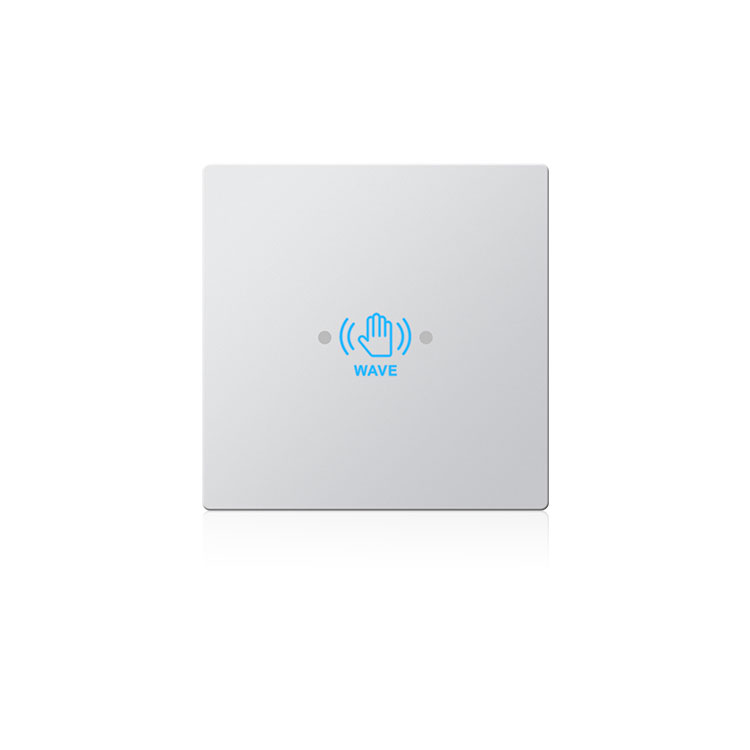
The activation method matters as much as the wiring. Touchless and hand-wave switches suit hygienic, hands-free entry; press switches and push buttons suit deliberate, clearly-signalled activation; pedal switches suit clinical or food areas where hands should stay clear. In most projects the wireless or wired decision follows the activation choice rather than leading it.
Battery life and maintenance expectations
A wireless switch trades a cable for a battery, and the honest way to compare it with a wired switch is to count what maintenance looks like over several years. A wired switch asks nothing after installation; a wireless switch asks for a battery at intervals that depend on how often it is pressed and how the unit is configured.
This is not an argument against wireless, which is often the only practical option, but it is an argument for choosing it deliberately and telling the building what it has taken on. A switch that quietly stops working because nobody expected to change a battery is worse than one that was specified with a replacement plan.
Where the decision is genuinely difficult
Some positions resist a clean answer. A switch beside a door in a finished office where the cable route is disruptive favours wireless, but the same building may ask for a documented fixed circuit. A glass entrance favours wireless for the same reason, while a two-switch entrance may favour wired for the simplicity of interlocking them.
Where the choice is close, the deciding factor is usually who maintains the door and what they expect. A facilities team that is comfortable with batteries and pairing will be happy with wireless; one that expects to install and forget will be happier with cable, even at the cost of the disruption.
Frequently asked questions
Do wireless switches work through walls?
Sometimes, but not reliably through reinforced or metal-lined construction. Treat any wall as a reduction in range, and test the actual position before committing to a layout.
Can I mix wireless and wired switches on one door?
Generally yes, if the operator has the inputs for both, but plan it deliberately. Mixing adds a second thing that can fail, and it is worth confirming how the two signals behave together when both are active.
AURWEN supplies both wired and 2.4 GHz wireless switches, including touchless, hand-press and capacitive sensing types, together with the receivers that pair with them. Tell us the entrance and the cable situation and we will suggest a set.