Sep 26, 2026Access Control Guides
Fingerprint, Card or Face Access: Choosing the Right Credential for Your Door
Fingerprint, card and face recognition each fail differently: wet hands, lost cards, lighting and masks. How to choose the credential your building will actually use well.
The credential is the part of an access system people touch, carry or stand in front of every day. It is also the part that decides whether the system is liked or resented, and it is worth choosing deliberately rather than defaulting to whatever the reader happens to support.
Fingerprint
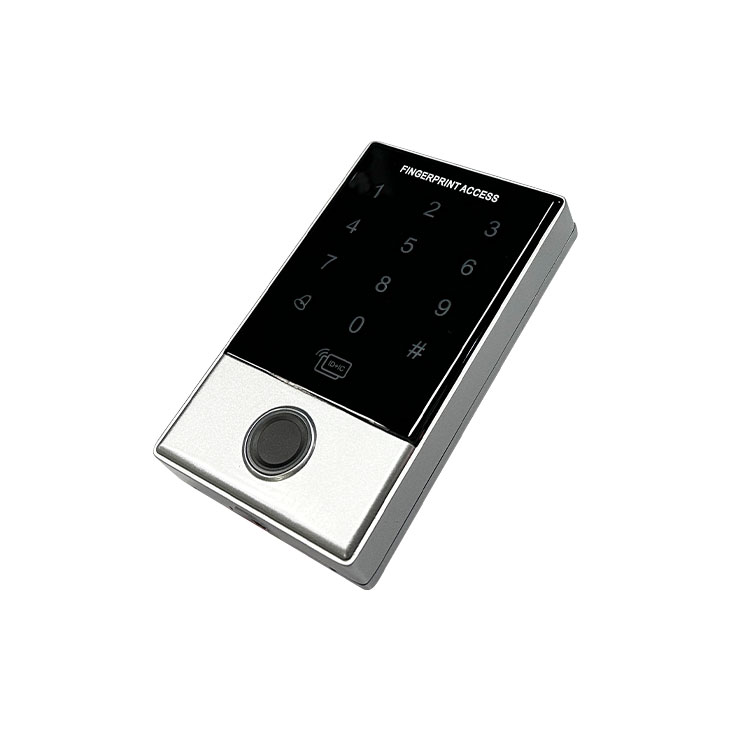
Fingerprint access removes the need to carry anything and cannot be lent to a colleague. It suits staff entrances, attendance systems and controlled internal doors. Its weaknesses are physical: worn, wet, cold or dirty fingers read poorly, which is why it is a poor fit for outdoor gates, construction sites and food-handling areas where gloves are worn.
Card and tag
Cards and RFID tags are the most flexible credential. They work through gloves, can be carried on a lanyard or in a vehicle, and are easy to issue and revoke at scale. They suit staff entrances, vehicle gates and multi-door buildings. The trade-off is that a card can be lost, shared or left in a coat, and lost credentials are a real administrative load unless the system makes revocation easy.
Face recognition
Face recognition gives genuinely contact-free entry, which is why it has become common where hygiene and throughput both matter. It handles people with full hands well and moves queues quickly. It depends on lighting and camera positioning, and the terminal has to be mounted where faces can be seen reliably. It also raises privacy questions that some buildings will want to address before installing it.
Choosing per door, not per building
The mistake is to pick one credential for the whole building. A single entrance rarely has a single user group. A common and workable pattern is fingerprint or card for staff, face recognition at the main public entrance, and a keypad or code for occasional visitors — with one controller managing the rules so administration stays in one place.
What to confirm before deciding
Count the user groups and how often they change. Decide how credentials will be issued and, more importantly, revoked. Check the environment at each door: rain, gloves, direct sunlight and heavy traffic all favour different technologies. And confirm that the readers you choose can be managed by the controller you already have, or budget for the controller too.
Throughput and queue behaviour
Credential choice affects how fast people get through a door, and that shows up at the busiest hour rather than the quiet one. A card read takes a deliberate action and a moment of fumbling. A fingerprint read takes a press and a short wait. Face recognition needs the person to look at the terminal, which happens while they are still walking towards it. In a lobby with a morning peak, those differences decide whether a queue forms.
This is worth modelling before committing. Count how many people pass the door in the busiest ten minutes and compare that with how long each credential takes to present. Where a peak is close to the limit a faster credential, or a second reader on the other side, changes the building's experience more than any other decision in the access system.
Enrolment and administration
The cost of an access system is often decided after installation, by how much effort it takes to add and remove people. Card systems are administratively cheap to scale: issuing and revoking a card is a simple operation. Biometric enrolment takes longer per person and usually happens at the door or with a device present, which matters when a site has high staff turnover. Face recognition sits between the two, depending on how the terminal handles enrolment.
Deciding who administers the system, and how, is part of choosing the credential. A technically strong option that the site cannot administer efficiently will be managed badly, and badly managed access control is the failure mode worth avoiding.
Frequently asked questions
Which credential is most secure?
Security depends on administration more than technology. A well-managed card system with prompt revocation beats a poorly managed biometric one, and vice versa. Pick the credential people will use correctly and manage the issuing process properly.
Can one system use several credential types?
Yes, and many do. A single controller can usually manage fingerprint terminals, card readers and keypads together, which is the practical way to give each door the credential its users actually need.
AURWEN supplies fingerprint terminals, face recognition terminals, RFID readers and keypads for automatic doors and access control. Tell us your user groups and doors and we will suggest a credential mix.