Sep 26, 2026Access Control Guides
How to Choose an Access Control System for Automatic Doors
Choosing access control for an automatic door means matching the reader, controller, electric lock, exit device and safety sensors to the operator. A practical selection guide for installers and contr
Choosing the right access control system for an automatic door involves much more than selecting a card reader or keypad. A reliable automatic entrance requires the access control device, activation sensor, safety sensor, electric lock and automatic door operator to work together as one integrated system.
For installers, distributors and project contractors, the wrong combination leads to compatibility problems, unreliable operation, extra installation work and, in the worst case, safety risk. This guide walks through the factors that matter, in the order they should be decided.
1. Start With the Door Type
The first step is to identify what kind of automatic door will be controlled, because the door type determines which activation, locking and safety devices are appropriate.
Automatic sliding doors. The most common configuration for controlled entrances. A reader or keypad authorises entry, an electric lock secures the leaf, and presence sensors protect the moving door.
Automatic swing doors. Often used where a sliding door is unsuitable. Swing doors usually need different activation and safety devices because the leaf moves into the pedestrian path.
Telescopic sliding doors. Two or more leaves that stack when open. Locking and safety selection must account for the additional moving leaves.
Healthcare, cleanroom and restricted-area doors. These place extra weight on hygienic touchless activation, reliable presence detection and controlled access.
2. Decide How the Door Should Be Activated
Activation is the act of opening the door; access control is the act of authorising entry. They are separate functions and should be selected separately, even when they share the same door.
Hand sensor or wave switches suit entrances where hygiene and ease of use matter. Press switches and push buttons suit simpler entrances where a deliberate action is preferred. Pedal switches are used in clinical and food-handling environments where hand contact should be avoided. Internal radar or motion sensors are common where doors open automatically on approach for the general public.
3. Choose the Right Credential and Reader
The credential decides who is allowed in. The reader is the device that reads it.
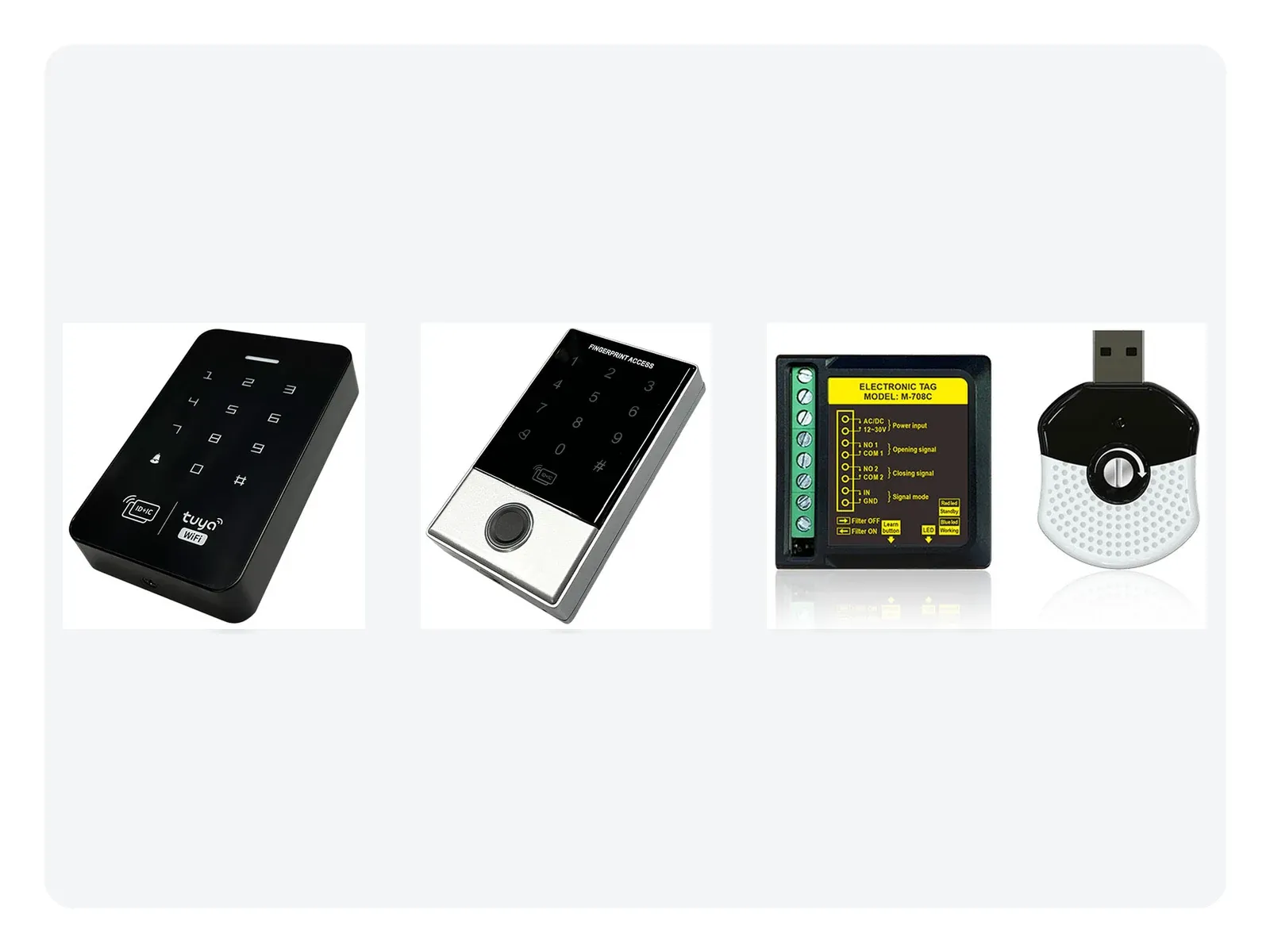
Keypads and PIN codes need no credential for a visitor and suit small offices. RFID cards and tags suit staff entrances and vehicle access and are easy to issue and revoke. Fingerprint terminals remove the need to carry a card. Face recognition terminals allow genuinely contact-free entry. Wireless receivers and remote controls are convenient for small vehicle or service entrances.
Weather exposure is a frequent oversight. Outdoor gates and external doors need hardware rated for rain and temperature variation, not indoor-only devices.
4. Match the Lock to the Door and the Escape Requirement
The lock must hold the door securely while still allowing people to leave in an emergency. The behaviour of the lock when power fails is the deciding factor.
Magnetic locks hold with high force and release when power is cut, which is why they are commonly paired with an emergency release or fail-safe arrangement. Electric bolts are mechanical and often quieter. The right choice depends on local building regulations and the required escape behaviour, which should be confirmed during design rather than at installation.
5. Plan How People Exit
Controlled entry and free exit is the typical balance. Exit-side devices include touchless exit sensors for hygienic, contact-free release, push-to-exit buttons for simple and reliable release, and motion sensors where free automatic exit is wanted. Higher-security projects may require authorisation in both directions.
6. Confirm Operator Compatibility Before Ordering
The access control system has to speak to the door operator. Before committing to a configuration, confirm the input and output signals the operator accepts, the voltage and wiring the installation allows, the sequence the operator expects for a valid open command, and how the door behaves when the system signals a fault.
Compatibility problems are far cheaper to resolve during selection than after installation.
7. Consider the Environment and Traffic
A device that performs well in an office may be the wrong choice for a hospital, a warehouse or an outdoor entrance. Questions worth answering early: is the installation indoors or outdoors, and does it need weather protection? What are the temperature and humidity extremes? How frequently will the door operate, and is the hardware rated for that duty cycle?
8. Do Not Overlook Emergency and Fire Requirements
Access control should never interfere with required emergency escape. Depending on the building and local regulations, an automatic entrance may need to interface with fire alarm systems, emergency release devices, emergency stop functions, building management systems and emergency power supplies. Requirements vary by country and project, so the applicable local building code always governs.
9. Think in Systems, Not Parts
A professional access control solution is not a collection of separate devices. Answer these questions as one exercise: who activates the door, who is authorised to enter, how the operator receives the opening command, how the door is locked, how the system detects people around the moving leaf, how users exit, and what happens during an emergency or power failure. When they are answered together, product selection becomes straightforward.
Common Mistakes to Avoid
Choosing on price alone often leads to unreliable products and premature replacement. Ignoring operator compatibility causes communication and installation problems. Using an access reader as a substitute for a safety sensor misunderstands what a safety sensor does. Selecting a lock without thinking about power-failure behaviour creates security or escape problems. Buying individual components without planning the complete system usually increases installation time and troubleshooting.
Frequently asked questions
Do I need access control if the door is already automatic?
Automatic and controlled are different things. An automatic door opens on detection; access control decides who is allowed to trigger it. Many entrances need both, with detection for exit or public access and authorisation for restricted entry.
Can I add access control to an existing automatic door?
Usually yes, if the operator accepts an external open command and there is space for a lock and reader. The practical checks are operator compatibility, available wiring and the escape behaviour the building requires.
What should I confirm with a supplier before ordering?
Confirm the door type, the credentials you want to support, whether the installation is indoor or outdoor, the escape and fire requirements that apply locally, and the signals your door operator accepts. Sharing these up front prevents most selection errors.
Choosing the Right Solution With AURWEN
AURWEN focuses on access control, activation and safety products for automatic door applications. We support automatic door distributors, installers, system integrators and project contractors with product selection, compatibility guidance and OEM/ODM supply.
If you are unsure which access control, sensor, switch or locking solution suits your automatic door project, send us your door type and requirements and our team will help identify a suitable configuration.