Sep 26, 2026Access Control Guides
How to Pick the Right Automatic Door Switch for Your Project
Press, touch, touchless, hand-sensor, pedal, carpet and special-room switches: a field guide to the automatic door switch families and how to choose between them for any project.
Beyond motion sensors, most automatic door projects need switches — a deliberate way for a person to open a door when automatic activation is off, unnecessary, or unwanted. The switch families look similar in product photos but behave very differently on site. Here is how to navigate them.
Match the switch to the person and the place
Start from who uses the door and why. A button for staff on a secure door has different requirements from a hands-free switch in a hospital corridor or a large-button switch for accessibility. Write down the user, the mounting surface and whether hands are typically full — the answers usually point to one family.
The main switch families
Press switches are the simplest: a physical button wired to the operator, available in round and square plates, in wired and wireless versions. Wireless press switches pair with a receiver at the operator and suit retrofit jobs where cabling is hard.
Touch switches use a capacitive or touch surface rather than a moving button, usually on a stainless or metal panel. They feel premium, wear well and are common on office and hotel doors.
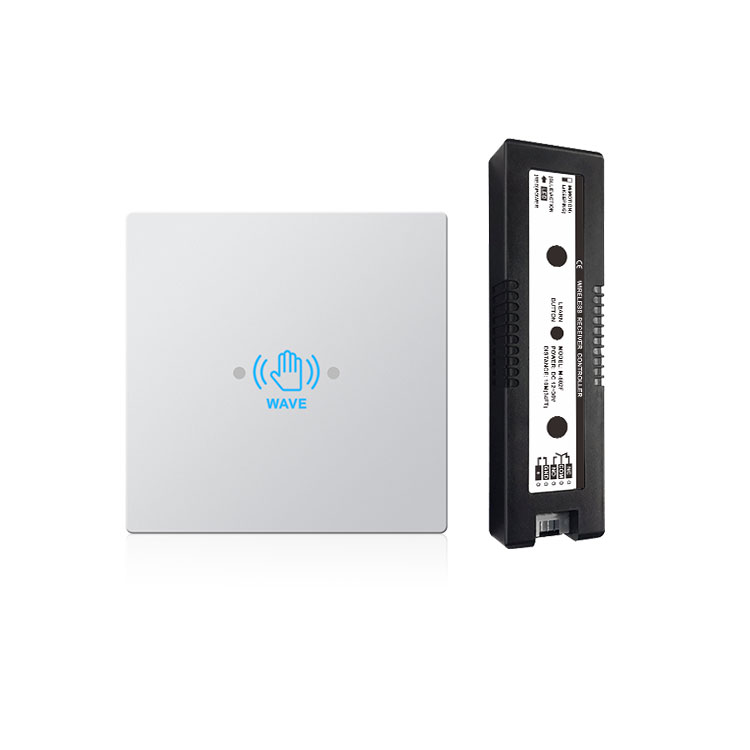
Touchless (contactless) switches detect a approaching hand with an infrared sensor and open the door without any contact. They are the standard answer for hygiene-critical doors — hospitals, clinics, laboratories, kitchens — and for accessibility, because no force or precise aim is needed. Panels commonly follow the 86×86 mm wall-box standard, and detection distances of a few centimetres to tens of centimetres are typical.
Hand-sensor switches combine a wave-to-open sensor with panel styling, and pedal or carpet-pad switches open the door from the floor — useful where hands are busy or where wall mounting is impossible.
Special-room switches are designed for toilets and private rooms: integrated lock indication, occupied/vacant signalling and door locking in one panel, so a single unit controls and shows the room state.
Wired or wireless?
Wired switches are simple and power from the door system, with no batteries to manage. Wireless kits — a battery transmitter plus a receiver wired to the operator — shine in retrofits across stone facades or glass where chasing a cable is expensive. Modern wireless units use 2.4 GHz communication with self-learning code pairing, so adding another switch later is straightforward. Check battery life figures and the receiver's power input range (wide-voltage inputs such as DC 12–30 V are convenient) before choosing.
Details that decide the installation
Panel size: the 86×86 mm standard fits common wall boxes and looks consistent next to other fittings. Contact output: relay dry-contact outputs work with any automatic door or access controller. Indication: backlit or indicator-lit panels help at night and in emergencies. Environment: metal panels and waterproof construction matter in washrooms, kitchens and outdoor gates.
Frequently asked questions
What is the difference between a touchless switch and a hand sensor switch?
Both open the door without contact. Touchless switches are typically dedicated infrared panels tuned for a short, precise detection zone; hand-sensor switches combine induction with touch functions and different panel styles. For hygiene doors, either works — choose by panel style and detection range.
Can one wireless receiver take several switches?
Usually yes. Self-learning receivers can typically store multiple transmitters, which is handy when a door needs a switch on both sides of the opening.
AURWEN's switch range covers press, touch, touchless, hand-sensor, pedal, carpet-pad and special-room panels in wired and 2.4 GHz wireless versions. Tell us the door and the users, and we will suggest the right panel.